How Can We Help?
How do I change or reset my password?
How to change your password
Follow these steps to change or reset your password:
- Log in to your account at https://login.easyfax.co
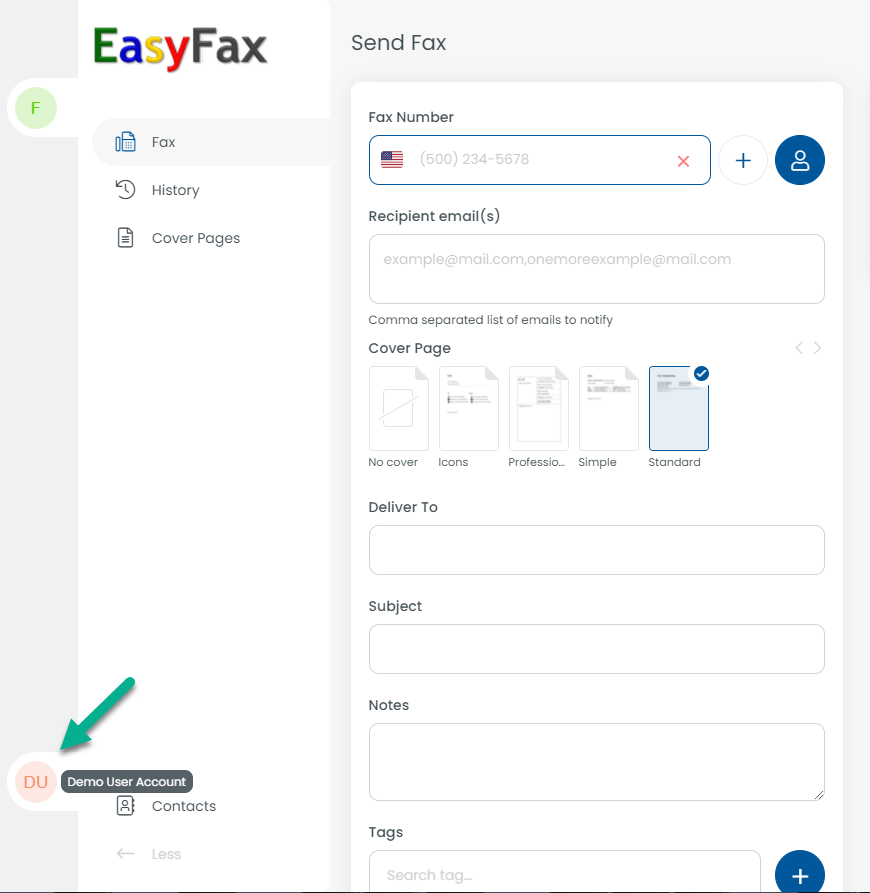
- Click your name (user) in the bottom left
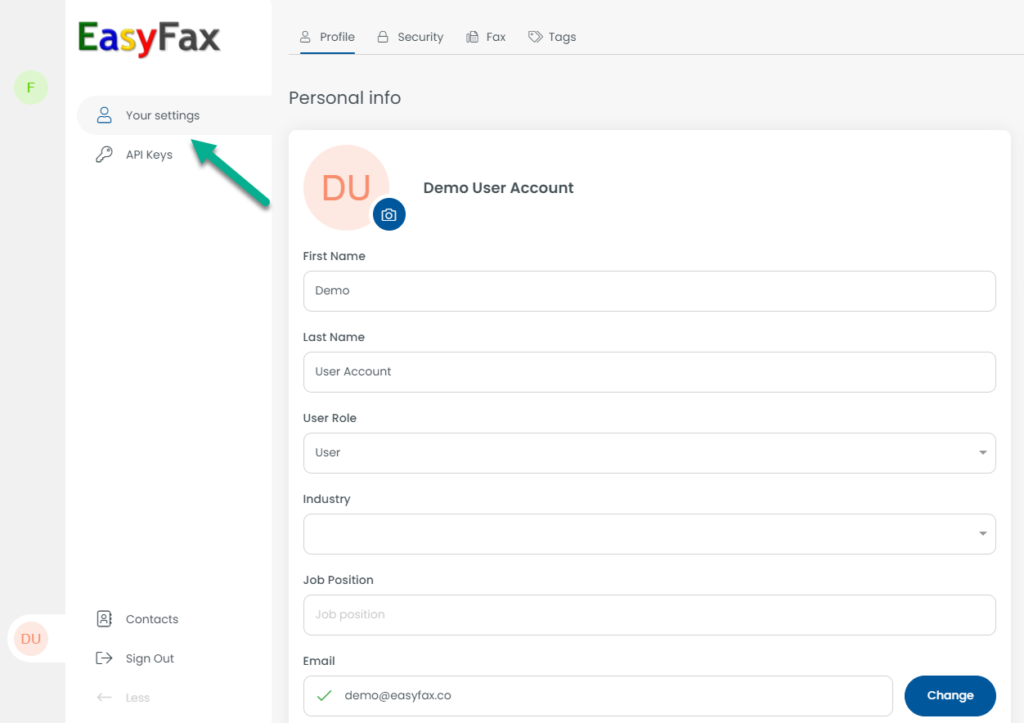
- Click “settings”
- Click on the “Security” tab at the top
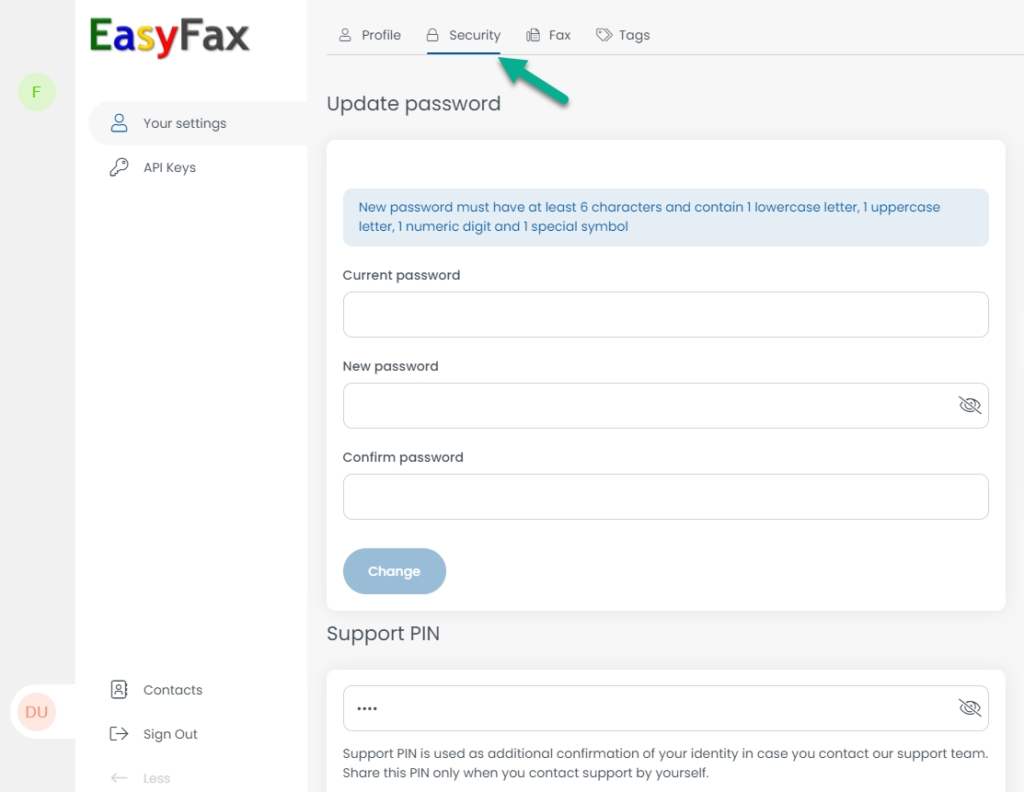
- Here, you must enter your current password as well as your desired password
Resetting your password (if forgotten)
If you’ve forgotten your password, click on the Forgot Password link on the login screen at https://login.easyfax.co, enter your email and click SEND button. You will receive an email containing a link to reset your password.